

Fast, Professional Video Editing for macOS
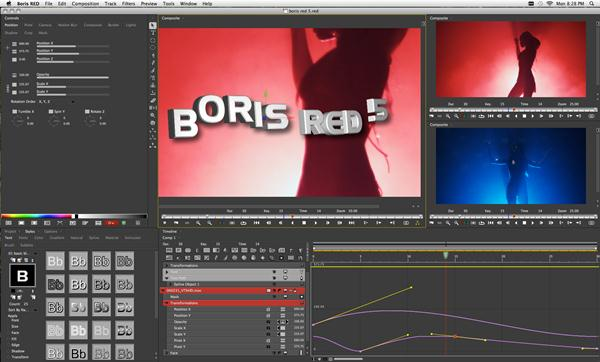
Featuring an easy-to-use, responsive interface and broad support for 4K, 2K, HD, and SD standards, Media 100 Suite delivers broadcast-quality output for tape and file-based workflows. Editors can edit in Media 100 and export their Media 100 timeline to Adobe After Effects for finishing. In addition, Boris RED is included for integrated transitions and titling on the Media 100 timeline.

Professional and Easy-to-Use
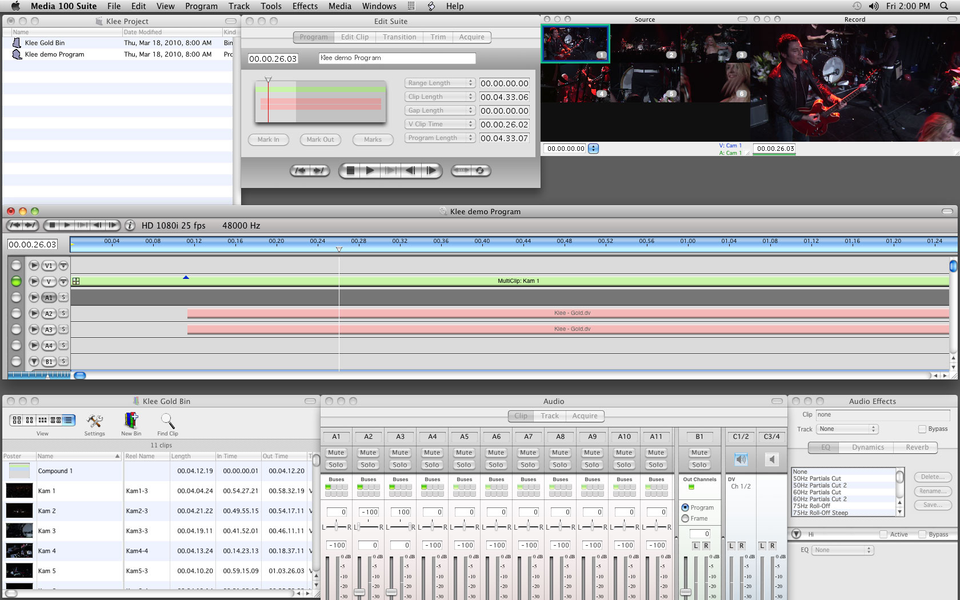
Media 100 offers unrivaled ease-of-use, stability, and image quality, making it an ideal solution for anyone who values an easy-to-learn editor that delivers professional quality. Focus on the craft of video editing instead of learning a complex software application. Native QuickTime codec support includes ProRes, DVCPRO HD, and more. Mix supported codecs in one timeline without conversion or rendering.
Professional Transitions and Titling
Boris RED is a full-featured, professional tool for compositing, transitions, and text generation that can be accessed directly from the Media 100 timeline. Unlimited layering, custom transitions, text generation, and animation with advanced keyframing are all available inside Media 100.
Broad Support for 4K, 2K, HD, and SD
Media 100 supports dozens of video standards in 4K, 2K, and HD at frame rates from 23.98 to 60 frames per second. In addition, acquisition interfaces for AVCHD, AVC-Intra, FireWire, Panasonic P2, and Sony XDCAM are provided - as well as support for AJA and Blackmagic Design video I/O hardware.
Media 100 in the Press
"When I'm working, I don't feel like I have to struggle against some developer's preconception of how I should be doing things, indicative of good interface and workflow design. For those who have not looked at Media 100, or not looked lately, now might be a good time to give it a try."
– TV Technology
"From the beginning, Media 100 has been built for speed. The program does many things in the simplest and most direct manner, with some functions accomplished in a single click instead of two or three on other NLEs. It's a design philosophy which respects the user by understanding his process and workflow."
– Creative COW